


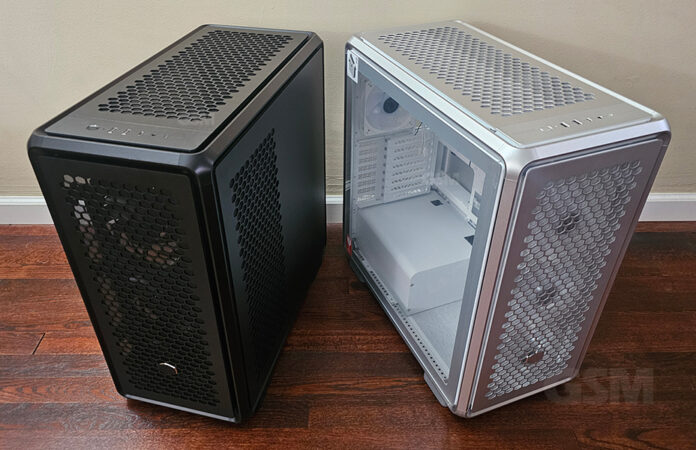
Space, Space and more space! Boasts a customizable steel chassis and aluminum design that looks great with good efficiency of airflow that moves through it. Space, cooling power, looks, ease of use, this case has it all. Lets take a deeper look.
Cooling power translates directly to speed so choosing the right case is the foundation which will shape the efficiency at which your rig will run. If you’re a gamer or power user you are already painfully aware of this fact.
Everyone has specific requirements for their RIG and the Cooler Master Masterframe 600 offers a spacious modular case with a variety of configurations. Many reviewers poo poo this case but we do love it. This is very subjective and recommend looking into the specific parts you want to use prior to purchasing this if your plan is to rearrange the layout. Otherwise, it’s more than ok to just run with the traditional configuration, full speed ahead!
The exterior panels and frame of this case are aluminum with a steel skeleton. What we really love about this case is the ease of use. It can be a pleasure to build but that depends on how complicated you make it. It’s satisfying once it is complete and the magnetic case panels make it easy to fiddle with.
Specs
The case measures 531 x 261 x 544mm and interior volume measures 73.6L if that is helpful to visualize. The Masterframe 600 will fit up to an E-ATX and has conditional support for server SSI-CEB standard motherboards.
8 PCI slots, two 2.5/3.5 combo drive bays and three 2.5″ drive bays.
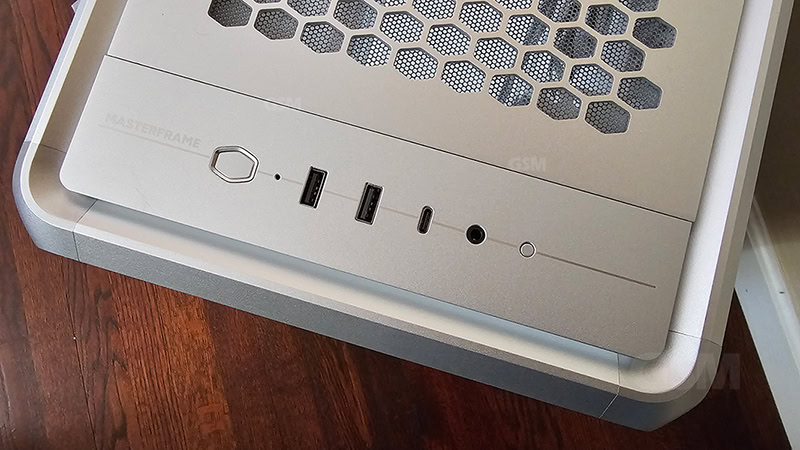
IO Panel two USB 3.2 Gen 1 Type A, one USB 3.2 Gen 2×2 Type C and a 3.5mm headphone jack that supports audio/mic via single plug.
Fan Support
Front 3x 120mm, 3x 140mm, 2x 180mm, 2x 200mm
Top 3x 120mm, 2x 140mm, 2x 180mm, 1x 200mm
Rear 1x 120mm
Side 3x 120mm, 3x 140mm
Radiator Support
Front 120 / 140 / 240 / 280 / 360 / 420 mm (Limit: 458 mm)
Top 120 / 140 / 240 / 280 / 360 / 420 mm (Up to 420mm if I/O module is moved to the front panel)
Rear 120 mm
Side 240 / 280 / 360 / 420 mm
The Masterframe 600 case is equipped with 3x large 140mm fans at the front and a 120mm exhaust fan at the rear. The power supply compartment comes with a pre-installed shroud and is easily accessible from the right side panel.
Cooler Master has provided us with the Masterframe 600 so that we could provide hands on review coverage of the mid-tower case and our experience with the hardware to our readers.
Quickly Remove Panels – No Thumbscrews
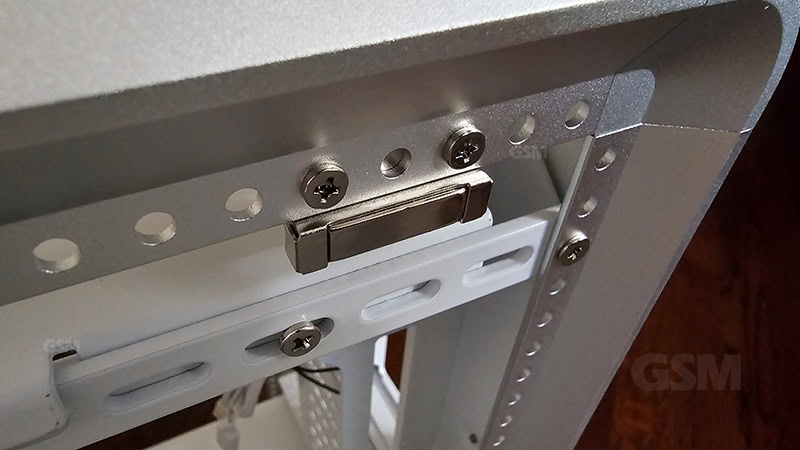
Each panel is magnetically attached so say goodbye to thumb screws! (at least on the panels) We are typically testing parts so this single innovation makes life a whole lot easier.
Remember when thumbscrews were introduced as an innovation and how convenient it was not to have to use tools just to detach your side panel? Fast forward and Cooler Master has done away with those and moved to magnetic case panels. On the interior you’ll still require a screw driver to remove PCI slot covers, brackets and things like that. For all panels covers left/right/top/front; the bottom has 2 tabs that you need to align, they are magnetically secured by 2 very strong magnets on the top.
This simple innovation of magnetic case panels is huge and we appreciate it each and every time we have to head in for the fiddle factor.
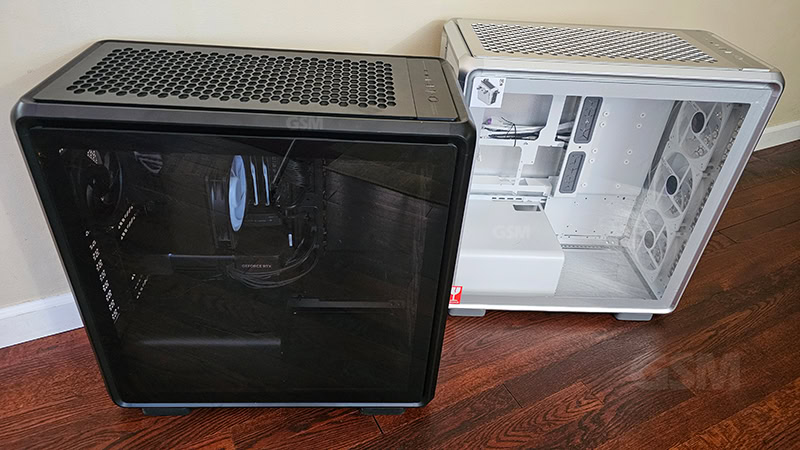
Cooler Master Masterframe 600 comes in 2 flavors:
- The Silver: MF600-SGNN-S00 comes with 3x 140mm Sickleflow ARGB fans with Controller Hub.
- The Black: MF600-KGNN-S00 comes with 3x 140mm Mobius ring-blade fans.
If your intention is to have ARGB lighting on the Black version, you’ll have to purchase all new fans as the Black version only comes with non-RGB Black Mobius fans. Curiously the Silver version has ARGB Sickleflow fans if you’re looking for a white build which is trending at the moment.
Still Considered a Mid-Tower
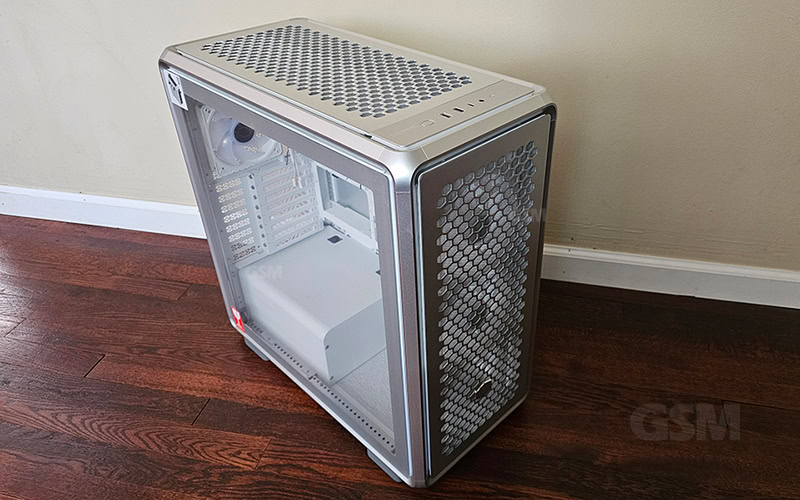
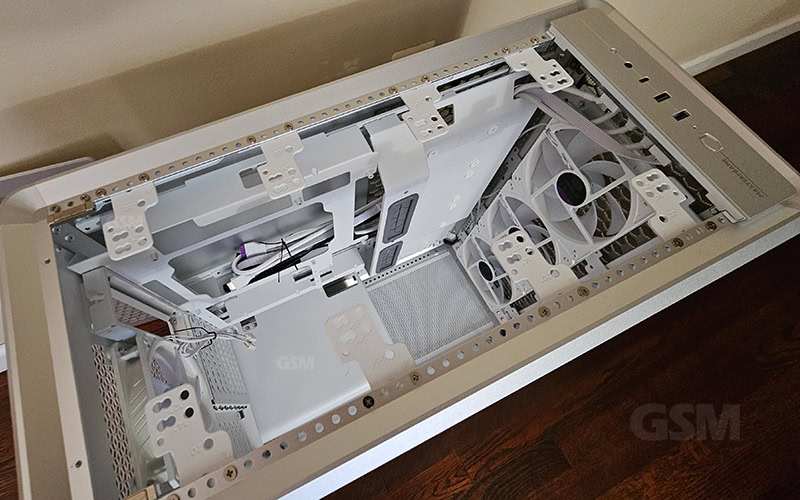
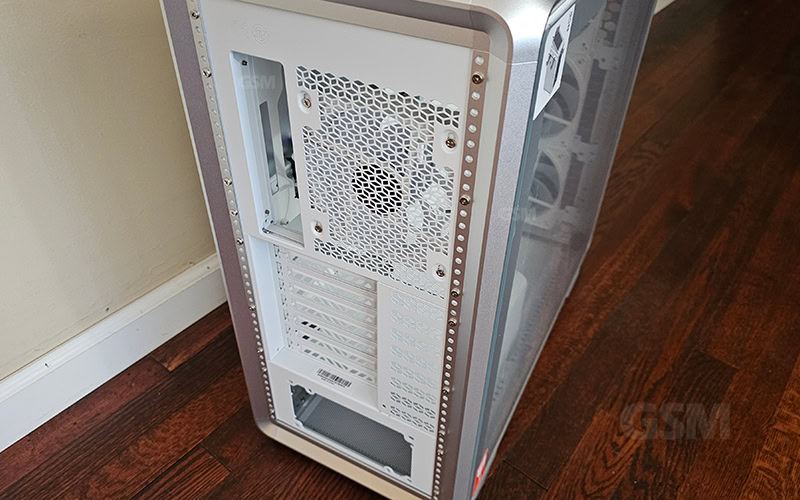
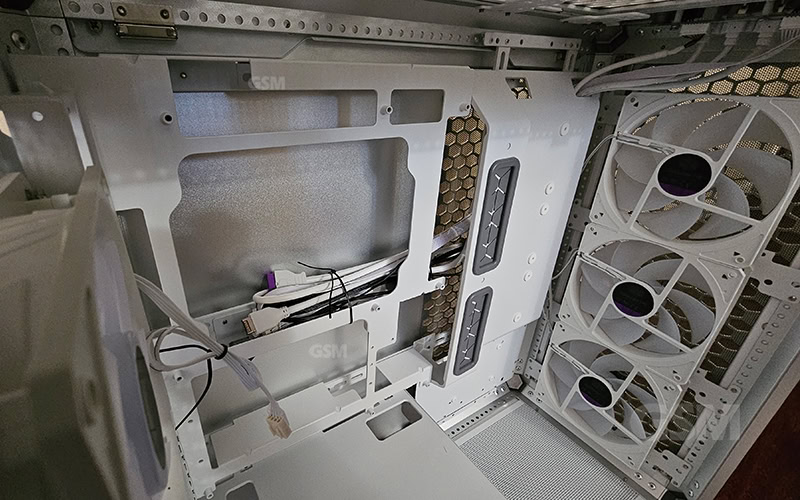
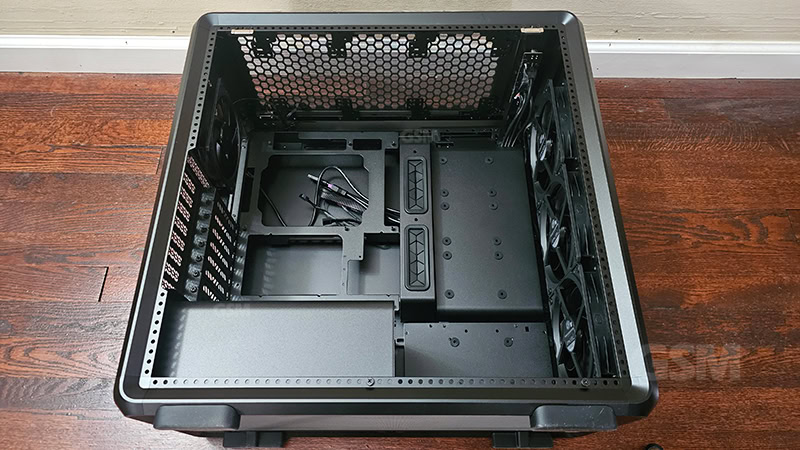
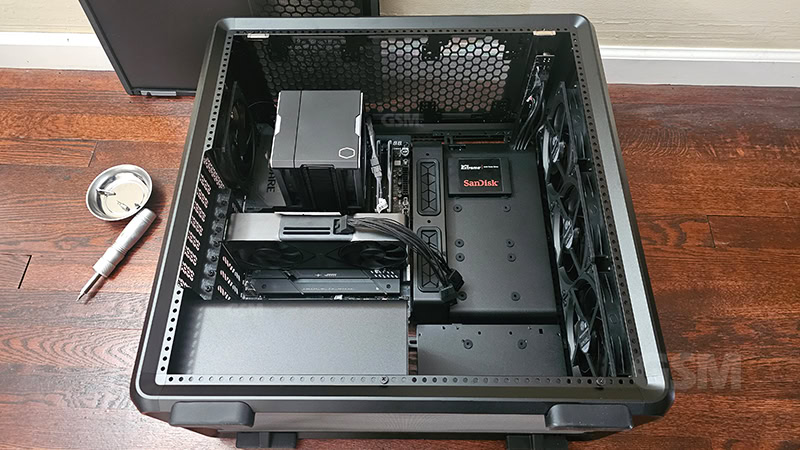
This is still considered a mid-tower case compatible for eATX and everything below. An ATX motherboard looks quite small in there. There’s plenty of room inside unless you had your eye on one of those full-tower Fish tank cases. This however makes for awesome airflow which this case definitely has. Included is a vertical support bracket for those enormous 4 slot video cards that run up to 385mm in length. There’s even enough room to vertically mount your video card provided you have the vertical GPU holder kit.
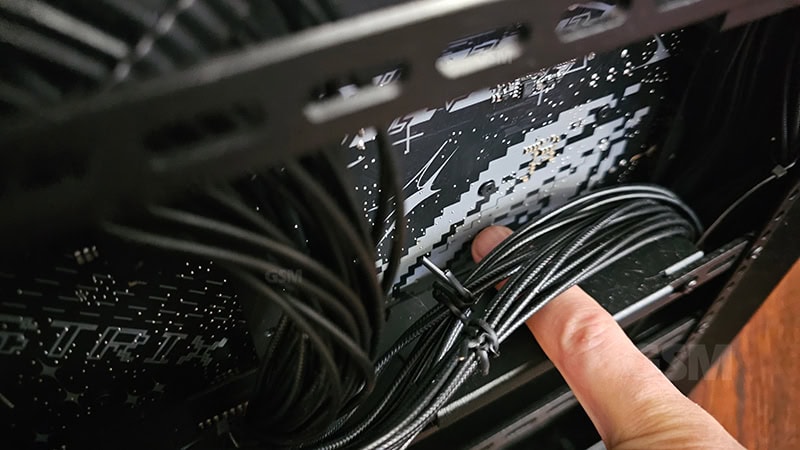
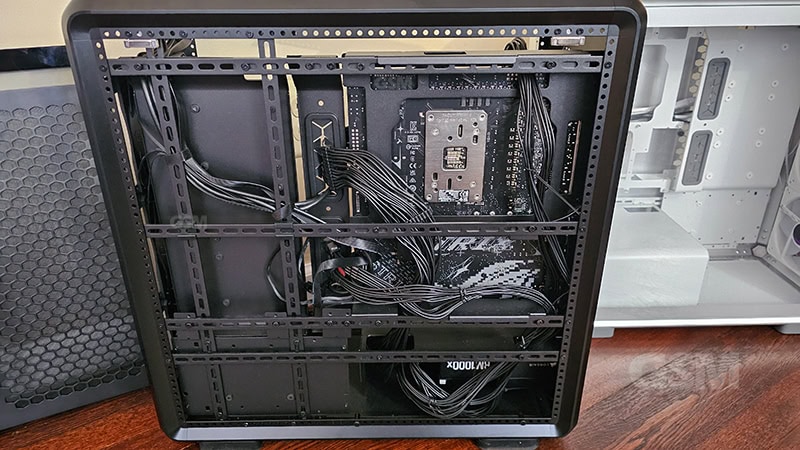
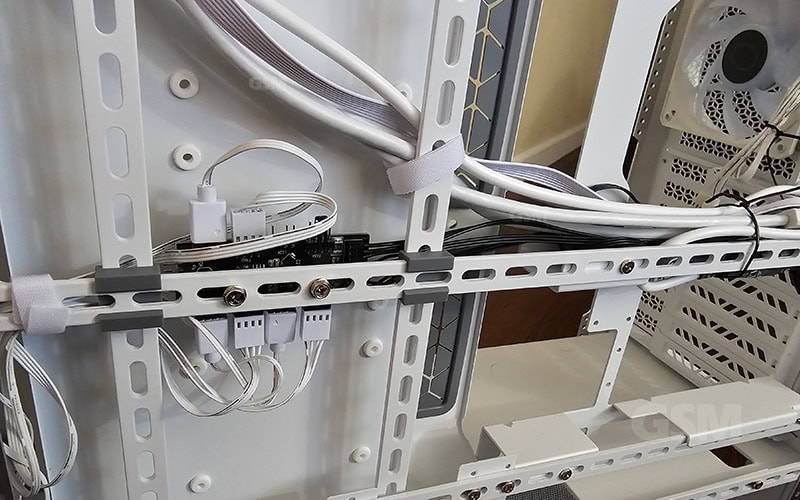
The right side panel gives access to 43mm of space under the motherboard for plumbing. It is an absolute pleasure to route your cables underneath and around. While nothing is perfect, the sheer space alone makes it very convenient. Typically we need to jam the cables in somewhat of a spaghetti mess. Zip ties, make sure you have zip ties. Some wire loom couldn’t hurt either.
The design doesn’t hide wires completely so you’ll probably end up with some exposed even with the grommets, but not a huge deal.
Our test RIG includes: AMD 9800X3D, ASUS x870e-e, nVidia RTX 5070 founders, GSkill Trident Neo RGB DDR5 2x 32GB, Corsair RM1000x 3.1 ATX PSU, CoolerMaster Hyper 612 Apex CPU air cooler, Cooler Master Masterframe 600 mid tower case.
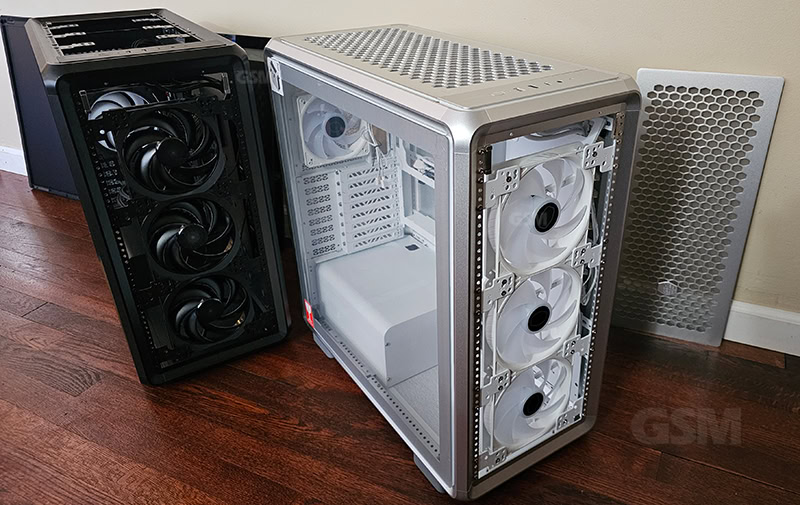
Right Silver MF600-SGNN-S00 w/ 3x 120mm ARGB Sickleflow fans
Fan Support
The Masterframe 600 can support up to 11 fans and multiple radiator sizes up to 420mm. Even though most power users and gamers are adopting liquid cooled CPU coolers, the Hyper 212 3DHP and the Hyper 612 Apex are both able to air cool the cpu pretty well. The Hyper 612 APEX however incorporates a dual fan design that helps push air as much as the opposing fan pulls air through. This increases the airflow of the case and keeps the air moving in 1 direction with less turbulence right out the exhaust. This is evident from the drop of a few degrees in both idle and operating temps under load.
If you are hyper-focused on airflow and cooling it can be helpful to replace the front 3 140mm front fans with 2x 200 case fans. You can grab a pair of Cooler Master 200m Sickleflow ARGB’s. You can get 2 of these puppies on the front if you like. You’ll need to grab a screwdriver and re-attach the mounting plates to the largest configuration holes.
The mounting plates will dip a toe into airflow space with 200mm fans. If that is an issue you can reduce down to 2x 180mm for the fronts. We’re sticking with the default 140mm 3x front fans for the time being even thought they are slightly louder than the 2x 200mm fans that we have on a previous Cooler Master case.
ARGB Lighting
The black version apparently is going for a blacked out look as there are no RGB fans in it. The black has 3x Mobius 140mm non-RGB PWM ring blade fans and 120mm non-RGB at the exhaust.
However on the Silver version of the case these 3 fans are replaced with Sickleflow 140mm ARGB PWM’s of the same sizes. So if you don’t mind not having any LED case lighting then the black case is great. Otherwise, we’d probably swap these Mobius fans for ARGB’s. The Sickleflow 140/120mm ARGB fans cases are white to match the case theme if you’re into a white build.
Freeform 2.0
Freeform 2.0 is Cooler Master’s designation for their modular ready product lines. They’ve embraced the idea of modular design but at least in this case it can seem a bit daunting initially since the instruction manual is all done without words, just illustrated graphics. This can lead to less than clear explanations of how to modify the Masterframe 600 to change its layout. The water becomes clearer as you become more intimate with the case but it seemed to make sense to run with the default setup as it offered familiarity and quick easy setup. It didn’t seem necessary to reinvent the wheel here.
If you ARE opting to be creative with this case, the Masterframe 600 can accommodate by allowing you some unique configurations.
You are able to relocate your IO panel, power supply, fans, AIO and radiators. While we cannot explore every configuration in this article, depending on your hardware there are lots of possibilities. Customization can be accomplished by adjusting mounting brackets and alternate screw holes to properly setup. In some cases you’ll need to remove the brackets entirely.
For example if you’re looking to add an AIO, the Masterframe can accommodate up to a 420mm radiator up top, in front 420mm/480mm or on the side if you remove the hard drive risers. Power supply can be positioned bottom rear or top rear of the case.
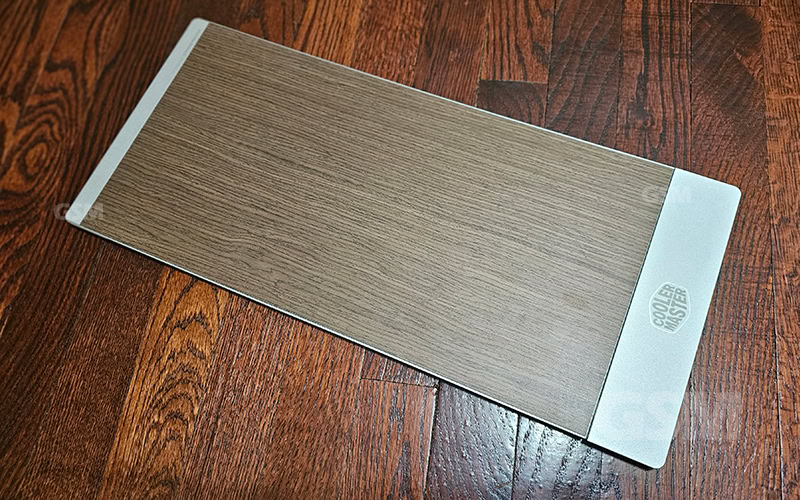
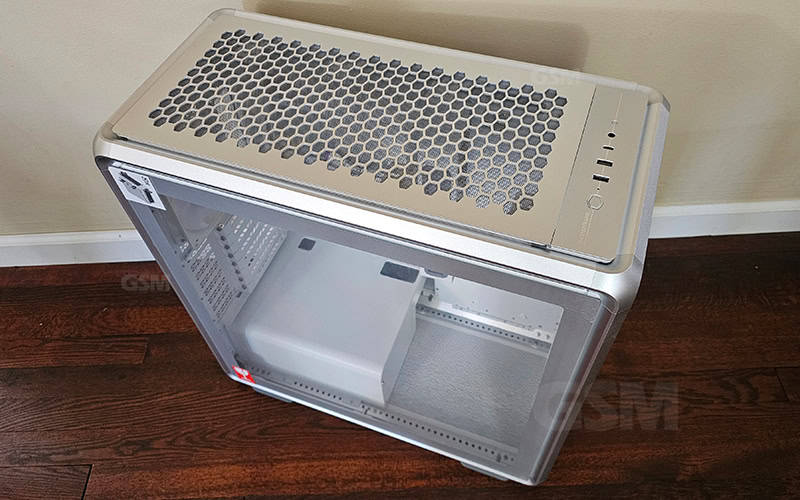

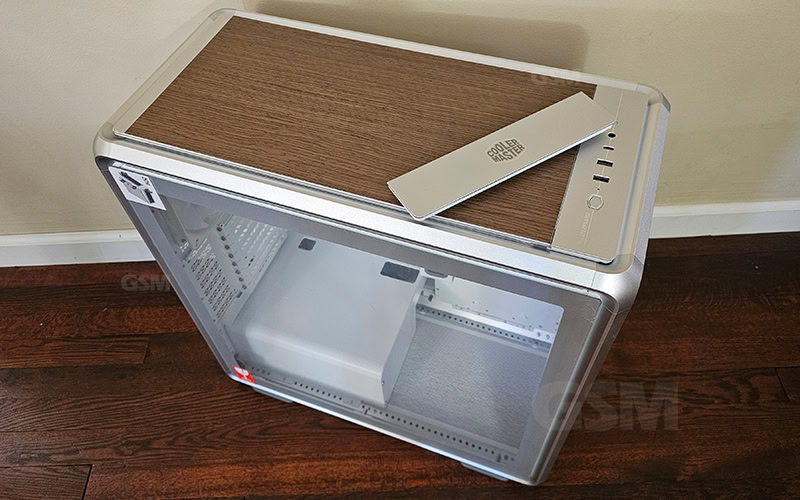
Customization panels
To add a bit of personality Cooler Master has some custom magnetic panels that you can use in place of the top and front panels if you prefer to block your front or top side of the case. The panels come in singles units. It includes a replacement IO panel cover if you plan to relocate yours to the front-bottom. The panels aren’t that visually appealing to us at least, it can restrict airflow and just feels a bit like an after thought.
What could be better
A removable motherboard tray would have been a nice addition
Perhaps some tighter grommets and more of them would improve the plumbing a bit.
Don’t care much for the customized replacement panels
Would have loved to see the Sickleflow fans in the black variant like the white.
Dual 180mm/200mm front fans would be preferred for increased airflow
Overall
PC cases are very subjective since everyone has a slightly different goal and setup in mind but we are in love with it. Aesthetically it’s everything we love about cases, roomy, tempered glass panel and that aluminum honeycomb panel design is badass. Good functionality with airflow, magnetic panels, good fan support and plenty of real estate inside. It does allow for some reorganization of components but it takes some concerted effort.
A little trial and error helps to figure out exactly what fits and what doesn’t. The good thing is that even if you are keen on a unique layout, once you get there, you’ll probably be so traumatized that you won’t change it again lol. Just kidding. It’s not too terrible and just requires a little bit of fiddling to get it right.
Cable management could be slightly better with better grommets. While we are loving the space below the motherboard, there are plenty of enthusiasts out there that want more room. In that case you can go for one of those fish tank pc cases. But for us, the room to plumb some PSU lines and basic tucking in of your primary wires is more than adequate.
Recommended PC Case
Based on aesthetics alone, we love it. Nothing is perfect and what one person loves, another may not but the Masterframe 600 touches on all of the key functionality to provide a convenient but moreover a pleasant experience. Very functional, options to customize and there’s plenty of space.
Tempered glass panel, tool-less magnetic panels, Honeycomb panel design, solid rubber feet, 3x pre-installed 140mm front fans, 1x 120mm exhaust fan. Comes with a 2 year warranty.
$249.00 $199.00 Cooler Master Masterframe 600
Black: MF600-KGNN-S00, Silver: MF600-SGNN-S00
www.coolermaster.com

