


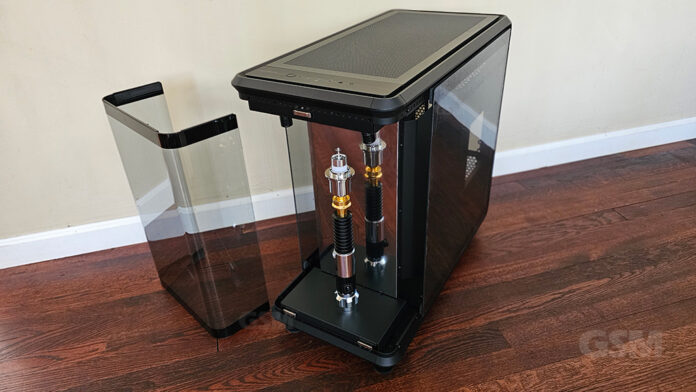
If you’re in the market for a Fish tank case with a presentation stage then the Masterframe 360 Panorama case is all you. Ok so you may not have been specifically looking for a case like this but if you’re a collector this one may be right up your alley. The Masterframe 360 Panorama comes with a stage and spotlights to showcase your most prized collectables in style. AKA a fish tank case, the Panorama 360 isn’t just about presentation, this dual chamber case has good airflow, plenty of real estate to work with and looks great.
The Cooler Master‘s Masterframe Panorama 360 comes in 3 flavors: 360 Panorama, 360 Stage LCD, 360 Stage Mirror as well as a 360 Panorama S Limited Edition which had a limited production run of 100 units and a price tag of $3k. This was a pre-configured top shelf gaming ready machine that Cooler Master put together for you.
Skip to overview video of the Masterframe 360 Panorama case.
Table of Contents
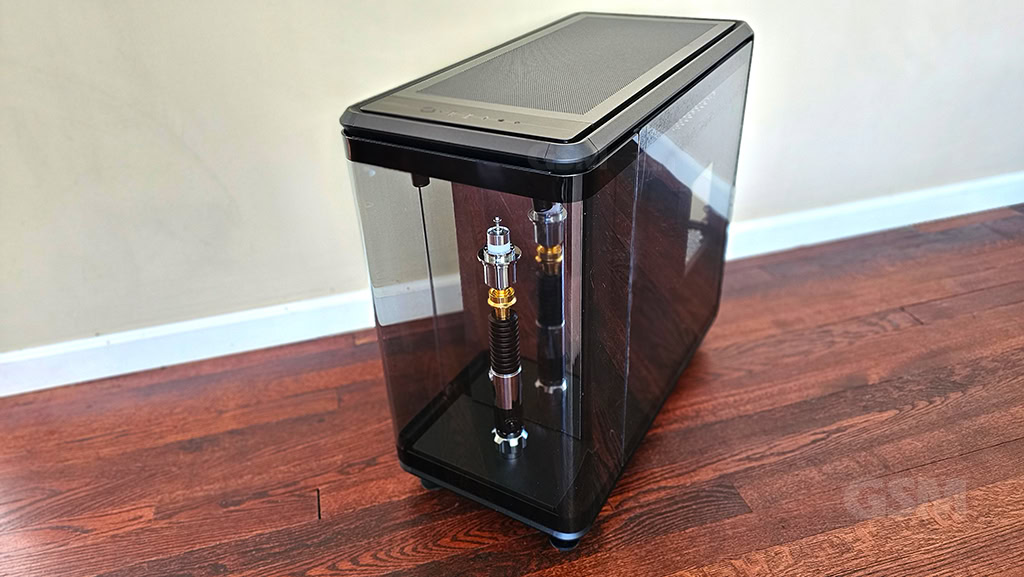
The Masterframe 360 Panorama case is somewhat of a niche style case that falls under Cooler Master’s Freeform 2.0 designation for modular cases. The Panorama 360 features a stage and spot lights to showcase a figurine or prized object. The 360/360 Stage LCD/Stage Mirror are the same case with the absence of the u shaped glass and the addition of an integrated bezel for the Stage LCD or Stage Mirror‘s open design. The Panorama 360 measures 549 x 291 x 581 mm with feet. The stage/platform area on the Panorama 360 measures 360H x 220W x 118D mm. The stage/platform area on the Mirror/LCD variants 328H x 290W x 110D mm.
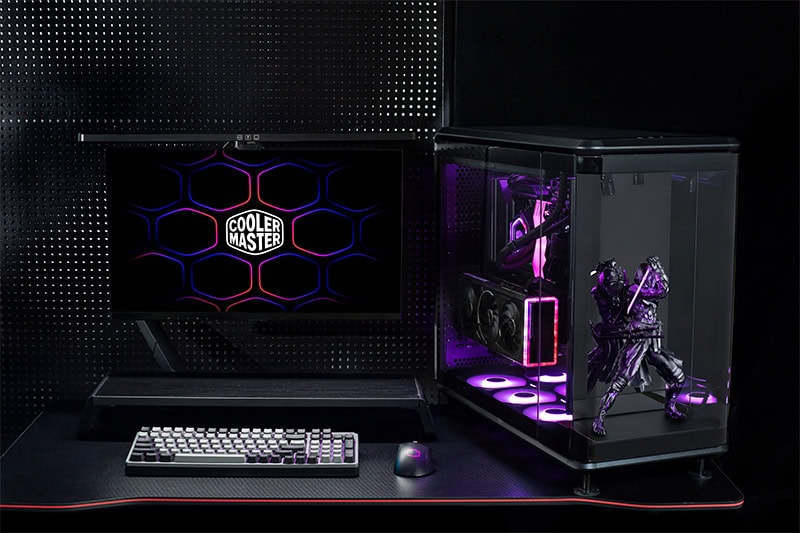
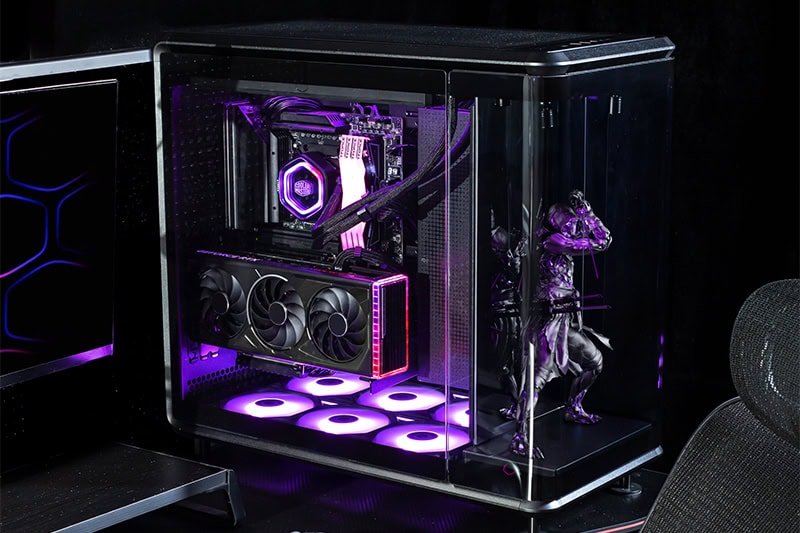
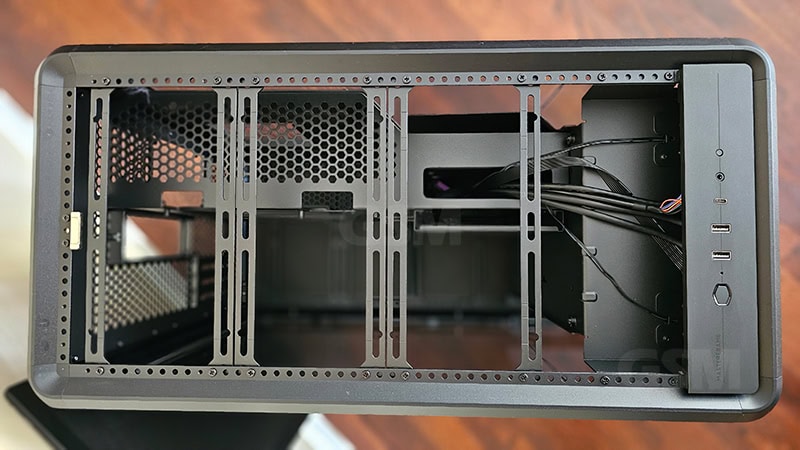
This is a mid-tower case that will accommodate Mini-ITX, Micro-ATX, ATX, BTF (ATX) motherboards. The Front I/O panel is clean, simple and convenient. The presence of a USB-C and USB 4x are most welcome and since we typically leave the tower on the floor The easy access is most welcome.
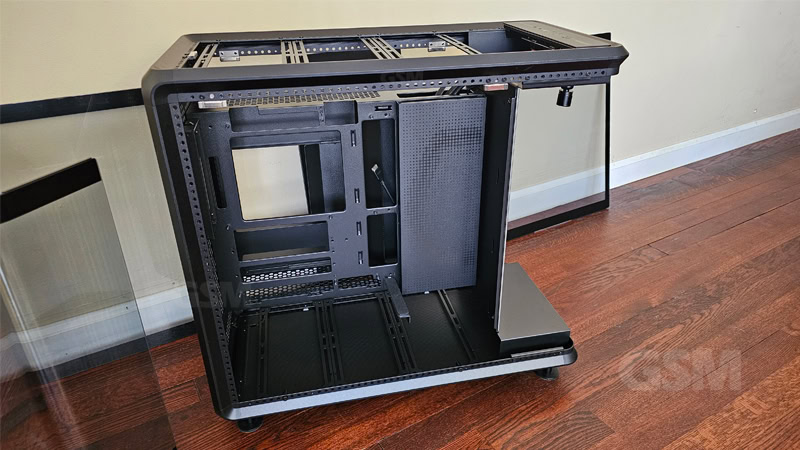
Magnetic Panels
Magnetic panels make everything better. Going into this case is easy and just as we saw on the Masterframe 600 case, these magnetic panels make playing with this case easy and more fun to deal with. The pure convenience of it is hard to beat.
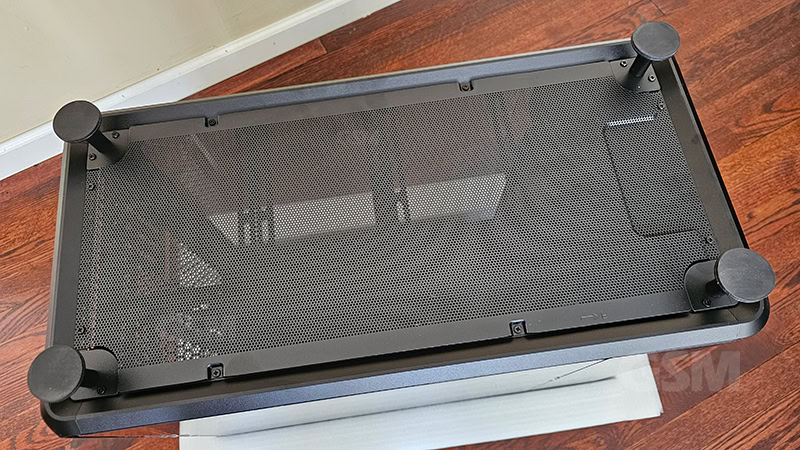
The three tempered glass panels and the top aluminum mesh panel are magnetically attached. The bottom aluminum mesh panel is screwed in but we would have loved to see this one magnetic as well for the occasional cleaning.
Cooler Master has provided us with the Masterframe Panorama 360 so that we could provide hands on review coverage of the mid-tower case.
Aesthetics
The Masterframe 360 Panorama case has three panels of tempered glass, left, right and front. Since this is a presentational box it makes sense that this is only available in black although the version at Computex 2025 had grey accents. The left and right glass panels are square roughly but the front glass is a u shape. There’s also the top panel which is a non-glass aluminum panel. All of the exterior panels are magnetic just like on the Masterframe 600. This just makes things better. It would seem that these magnetic panels went from innovation to just being ‘the way’ from Cooler Master. We’re all about it.
The 2 variants include an open design. There’s no u-shaped glass on the front and the stage has a bezel added to shine up the presentation. If your build is thematic then the Panorama 360 will work great. LCD screens are becoming very popular inside on CPU coolers, Power Supplies, AIO’s etc.
This is apparently the way to go with direct hardware sensors that do not need to lean on any software to report. So your components just visually report their operating temps in real-time to you right on the component.
While the stage is cool and different, it begs the question; is this just wasted space? We would have preferred to seen the video card showcased or an interactive touchscreen menu with fan controls, integration of their Master+ software or something similar would have been a bit more practical. But in all fairness, Cooler Master does market this advertising a “an industry-first DIY Liquid Cooling Chassis”. You just need to remove the mirror plate to expose the mounting area.
The version that Cooler Master showcased at Computex last year (2025) with the liquid cooling reservoir in front was possibly the best iteration of this case in our opinion. Beauty is however in the eye of the beholder.
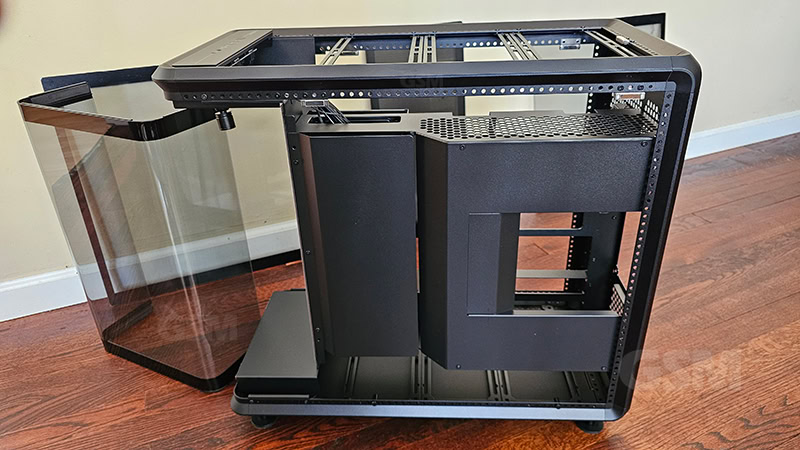
Cable Management & Lighting
It would seem that if you’re going to run this case, you’d better be painfully aware of cable management. If you suck at it, time to find some tips because in this case you’ll see everything! Mesh loom, black zip ties and possibly some lighting to showcase your plumbing is in high order here.
Lian-li strimer plus v2 24-pin and 8-pin ARGB cables are nice, Corsair also makes ARGB PSU cables, UV reactive dyes for liquid cooling systems. You can be as creative as you want to be with it. There are plenty of RGB lit cables these days.
Still there’s some forgiveness here in the Cable Management Chamber located south of the motherboard. There’s ample space for plumbing behind the motherboard. You get 110mm or approx. 4.3″ of space back there. Not to worry as there are 2 covers to remove to expose the chamber. Even with your sparkly open loop liquid cooling setup and all your strimers you probably will still have some non-rgb cables to hide. The Cable Management Chamber makes it easy to route your power and remaining lines while remaining hidden for an ultra clean design.
Cooling Ability
This case is large even though it’s categorized as a mid-tower, it’s plenty wide which we love. But what is nice is that this case can accommodate dual radiators, one at the top and one at the bottom.
Radiator support: 120mm / 140mm / 240mm / 280mm /360mm
Fan support: 6x 120mm / 2x 140 mm / 2x 180mm / 2x 200m
GPU support: up to 430mm cards
Includes a PCIe 5.0 riser cable so you can vertically mount your video card.
Fans
The 360 Panorama comes with zero fans pre-installed, not even an exhaust fan. While it does support dual radiators, you’ll want to make sure you are prepared to buy fans for this case. Your PSU will act as a pseudo exhaust but primarily your exhaust will be out the top.
That said, the modular design supports multiple fan sizes to make things easier. The exhaust however will not accommodate the common 140mm fans typically found at the rear. So you’ll be more than likely be venting out the top. The top magnetic panel is a an aluminum mesh. It still breathes but would prefer the honeycomb style panel like the Masterframe 600 has as far as looks go.
Your airflow will be best if you use the bottom as intake and exhaust out the top and rear through the PSU. You could of course get crazy and reverse and intake from the top and out the bottom and rear.
Wrap Up
The Masterframe Panorama 360 fish tank case from Cooler Master is a beast. If you’re looking to build a thematic rig, maybe you’re looking to showcase your anime figurines or 3d printed creations the Panorama 360 comes with it’s own stage and spotlights. While it is some what of a niche case, the 3 sided glass panel fish tank design is pretty to look at. This is a great case if you’re looking to show off your liquid cooling piped all around front and back. Comes with a vertical GPU riser/adapter so you can see your pretty Video Card. You can easily detach the front mirror in favor of hanging your liquid cooling reservoir. This is an open canvas, be creative and shine.
Comes with a 2 Year Warranty.
$199.00 Cooler Master Masterframe Panorama 360
Masterframe 360 Panorama MF360-KINN-S00
Masterframe 360 Stage LCD MF360-KHNN-S02
Masterframe 360 Stage Mirror MF360-KHNN-S01
Coolermaster.com

